
Video content is king in today’s digital world, but many businesses and creators think it’s too expensive to produce.
Fret not! With some creativity and the right techniques, you can create engaging videos without breaking the bank.
This guide will show you how to plan, film, edit, and distribute professional-looking videos on a shoestring budget. Let’s get started!
How can you create professional video content on a low budget?
You can create engaging, professional-looking videos without a huge budget by following strategic planning, using affordable equipment like smartphones and basic lighting/audio setups, applying filming and editing techniques, repurposing content across platforms, and distributing it through optimized channels.
Key Takeaways:
- Video content is essential but doesn’t require a huge budget.
- Careful planning, affordable equipment, and basic techniques can produce professional results.
- Repurposing and strategic distribution maximize your video’s reach and impact.
1. Plan Your Video Content
Define Your Goals and Target Audience
What do you want to achieve with your video? Are you trying to use videos for your video marketing purposes such as promoting new products and services, real estate videos, brand awareness, educating your audience, testimonials, or simply entertainment?
Clearly defining your goals will help you create content that resonates with your target audience.
Ask yourself: Who are you making this video for? What are their interests, pain points, and preferences? Understanding your audience will guide the tone, style, and format of your video.
Choose Your Video Formats

Different types of video content serve different purposes for marketing strategy.
Some popular formats include product demos, tutorials, interviews, vlogs, animation videos for explainers, and more.
Consider which format best aligns with your goals and audience preferences. For example, if you’re targeting busy professionals, short, informative videos might work better than long-form content.
Develop a Content Calendar
Consistency is key when it comes to building an audience and keeping them engaged. Plan out a content calendar that outlines the topics, formats, and release schedule for your videos.
This will help you stay organized and ensure a steady flow of fresh content. Remember, quality is more important than quantity – focus on creating valuable, well-crafted videos rather than churning out mediocre content.
By taking the time to plan your video and the video marketing strategy, you’ll be able to create a cohesive, effective strategy that resonates with your target audience and achieves your desired goals – all without breaking the bank.
2. Essential Equipment for Low-Budget Video Production
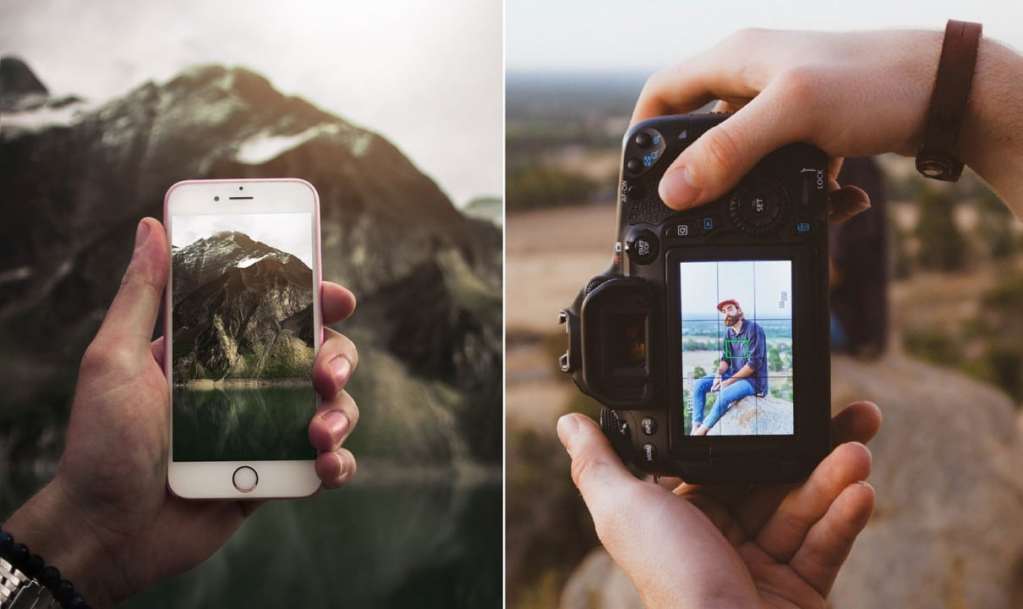
You don’t need a fancy studio or expensive gear to create great videos of high-quality.
As a marketer, you can achieve a remarkable return on investment by shooting videos with just a few affordable tools and some creativity, allowing you to produce professional-looking content right from the comfort of your home or office.
Smartphones and Compact Cameras:
Your smartphone is a powerful video production tool that fits in your pocket. Many modern smartphones have impressive camera capabilities that can rival dedicated cameras.
If you prefer a separate camera, consider investing in an entry-level DSLR or mirrorless camera, which offers better image quality and manual controls. Compact cameras like GoPros are also great for capturing action shots and unique perspectives.
Lighting Setup (Natural and Artificial):
Good lighting is crucial for achieving a polished, professional look. Whenever possible, take advantage of natural light by filming near windows or outdoors during golden hours.
For indoor scenes, you can create a basic lighting setup using affordable LED panels or even household lamps.
Diffusers and reflectors made from inexpensive materials like parchment paper or foam boards can help soften and bounce light for a more flattering look.
Microphones and Audio Equipment
While video quality is important, audio quality is often overlooked but equally crucial. Invest in a decent external microphone, such as a Lavalier or shotgun mic, to capture clear, crisp audio.
You can also use earbuds with a built-in mic for basic voiceovers or podcasting. For more advanced setups, consider a USB microphone or a portable audio recorder for capturing high-quality sound on location.
Tripods and Stabilizers
Shaky footage can be distracting and unprofessional. Tripods and stabilizers help keep your shots steady and smooth.
You can find affordable tripods made of lightweight materials like aluminum or even sturdy smartphone tripods.
For added stability and versatility, consider a small gimbal stabilizer or a simple handheld rig made from inexpensive materials like PVC pipes.
Remember, you don’t need to break the bank to get started. With a little creativity and the right tools, you can create stunning videos that look like they cost a fortune to produce.
3. Filming and Recording Tips
With the right equipment in hand, it’s time to start filming! Even with a modest setup, you can capture professional-looking footage by following these simple tips.
Choosing the Right Location

Location plays a crucial role in setting the tone and mood of your video. Look for spaces with good lighting, minimal background noise, and visually interesting elements.
If you’re filming indoors, declutter and rearrange furniture to create a clean, appealing backdrop. For outdoor shots, scout for locations with beautiful scenery or unique architectural features.
Optimizing Lighting and Sound
Proper lighting can make or break your video. If you’re relying on natural light, position your subject facing the light source and use reflectors to fill in shadows.
For artificial lighting, experiment with different setups and angles until you achieve a balanced, flattering look.
Don’t forget about the audio quality! Use external mics, reduce background noise, and consider recording a separate audio track for voiceovers or narration.
Framing and Camera Angles
Pay attention to your framing and camera angles to create visually interesting shots.
The rule of thirds is a great guideline to follow – position your subject off-center for a more dynamic composition.
Mix up your angles by shooting from different heights, perspectives, and distances to add variety and depth to your footage.
Recording High-Quality Audio
Clear audio is essential for engaging your audience and conveying your message effectively. Use external microphones whenever possible, and consider investing in a simple Lavalier mic or shotgun mic for better sound quality.
If you’re recording voiceovers or narration separately, find a quiet space with minimal echo and background noise.
With a little practice and attention to detail, you can elevate the production value of your videos without breaking the bank. Remember, great content is about more than just fancy equipment – it’s about telling a compelling story and engaging your audience.
Check out the Huddy Media portfolio where we have followed all of these things and delivered high-quality projects to our clients.
4. Editing and Post-Production
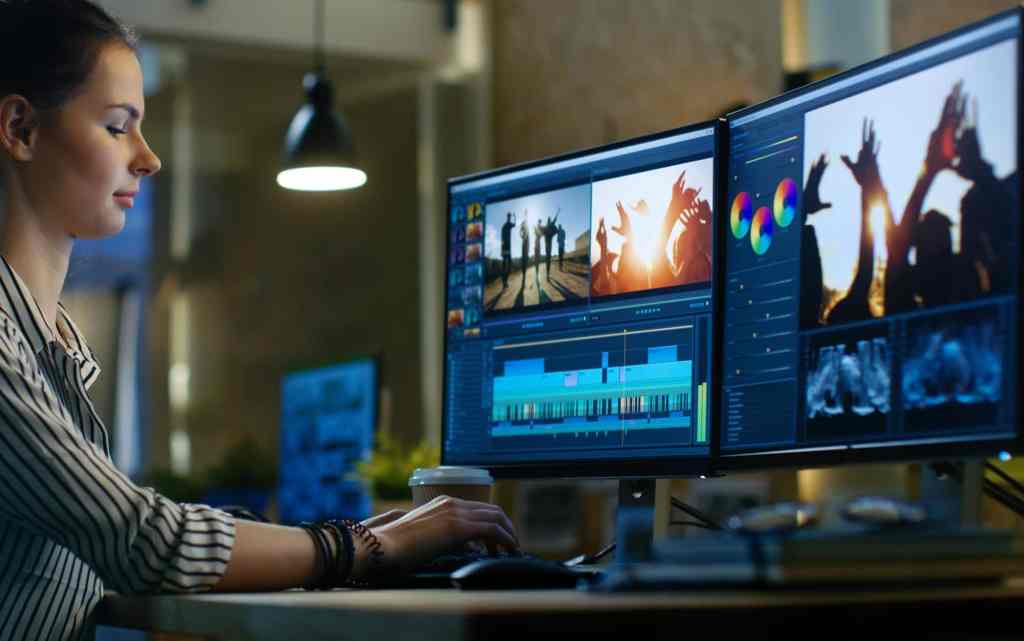
Once you’ve captured all your footage, it’s time to bring your vision to life through editing and post-production. Don’t worry – you don’t need expensive software or fancy effects to create polished, professional-looking videos.
Free and Low-Cost Editing Software
There are plenty of free and affordable video editing tools available, both for desktop and mobile devices. Popular options include DaVinci Resolve, Hitfilm Express, and even built-in apps like iMovie or Windows Video Editor.
These user-friendly programs offer a wide range of features, from basic trimming and splicing to advanced color correction and motion graphics.
Basic Editing Techniques
Editing is an art form, but mastering a few basic techniques can take your videos to the next level. Start by organizing your footage and creating a rough cut by arranging the clips in the desired sequence.
Then, focus on pacing and flow by adjusting clip lengths, adding transitions, and cutting out any unnecessary footage. Pay attention to audio levels and consider adding background music or sound effects to enhance the viewing experience.
Adding Titles, Graphics, and Effects
Titles and graphics not only make your videos look more professional but also help convey important information and reinforce your branding.
Most video editing software includes built-in title templates and graphics tools, or you can create your own using free online resources or design apps like Canva.
Use visual effects sparingly and strategically to highlight key moments or add creative flair.
Optimizing for Online Platforms
Before publishing your masterpiece, be sure to optimize your video for online viewing.
Compress and export your final cut in the appropriate format and resolution for your target platform(s), whether it’s YouTube, social media, or your website.
Don’t forget to write compelling titles, descriptions, and tags to help your content get discovered by your audience.
With a little patience and creativity, you can transform raw footage into a polished, engaging video that looks like it was produced by a professional studio – without the hefty price tag.
5. Content Repurposing and Distribution

Once you’ve created your video masterpiece, it’s time to get it in front of your audience. But why stop there?
With a little creativity, you can repurpose and distribute your video for content marketing purposes across multiple platforms to maximize its reach and impact.
Repurposing Video Content for Different Platforms
Don’t limit your video to just one platform. Repurpose it into different formats tailored for various channels.
For example, you can extract shorter clips or teasers for social media, create GIFs or memes for added engagement, or even transcribe the video into a blog post or article.
This approach not only extends the life of your content but also caters to different audience preferences and consumption habits.
Optimizing for Search Engines and Social Media
To ensure your videos are easily discoverable, optimize them for search engines and social media. Use relevant keywords in your titles, descriptions, and tags, and include closed captions or subtitles for better accessibility.
Engage with your audience by responding to comments, sharing behind-the-scenes snippets, and collaborating with other creators or influencers in your niche.
Building an Audience and Promoting Your Videos
Consistency is key when it comes to building and retaining an audience. Develop a content calendar and stick to a regular posting schedule to keep your viewers engaged and coming back for more.
Promote your videos across your owned channels, such as your website, email list, and social media accounts.
Consider running targeted ads or collaborating with complementary brands or influencers to expand your reach further.
By repurposing your video content and distributing it strategically across multiple platforms, you’ll not only maximize its impact but also position yourself as a thought leader and authority in your niche – all while sticking to a budget.
Frequently Asked Questions:
1. What’s the cheapest way to get started with video content production?
Your smartphone is your best bet – the cameras are incredible nowadays. Download a free video editing app to polish your clips. Natural lighting can work wonders too.
2. How do I record high-quality audio in my videos?
Invest in an affordable external mic like a Lavalier or shotgun mic. It’ll instantly elevate your audio quality. Use a mic stand or ask a friend to be your boom operator.
3. What free video editing software should I use?
For beginners, try Davinci Resolve or Hitfilm Express. Both are packed with features for color grading, effects, and basic editing. YouTube has tons of tutorials too.
4. Any tips for creating graphics/titles?
Explore free tools like Canva, Pixlr, or GIMP. Start with simple title cards and graphic overlays. As you progress, try animating logos or lower thirds.
Conclusion
Creating high-quality video content doesn’t have to be a costly endeavor. By following the tips and strategies outlined in this guide, you can produce engaging, professional-looking videos that resonate with your audience without breaking the bank.
Remember, the key to success lies in careful planning, creativity, and a commitment to quality over quantity. Invest in a few essential tools, master the basics of filming and editing, and don’t be afraid to experiment with different formats and techniques.
Most importantly, stay true to your brand and your audience. Consistently deliver value through your video content, and you’ll not only build a loyal following but also establish yourself as a trusted authority in your niche – all while keeping your budget in check.
So, what are you waiting for? Grab your camera (or smartphone), and start creating compelling video content that captivates and inspires your audience!